

EazSell

Restaurant & QSR

Handle counter orders, controlled price changes and shift close without adding a separate fiscal step after service.

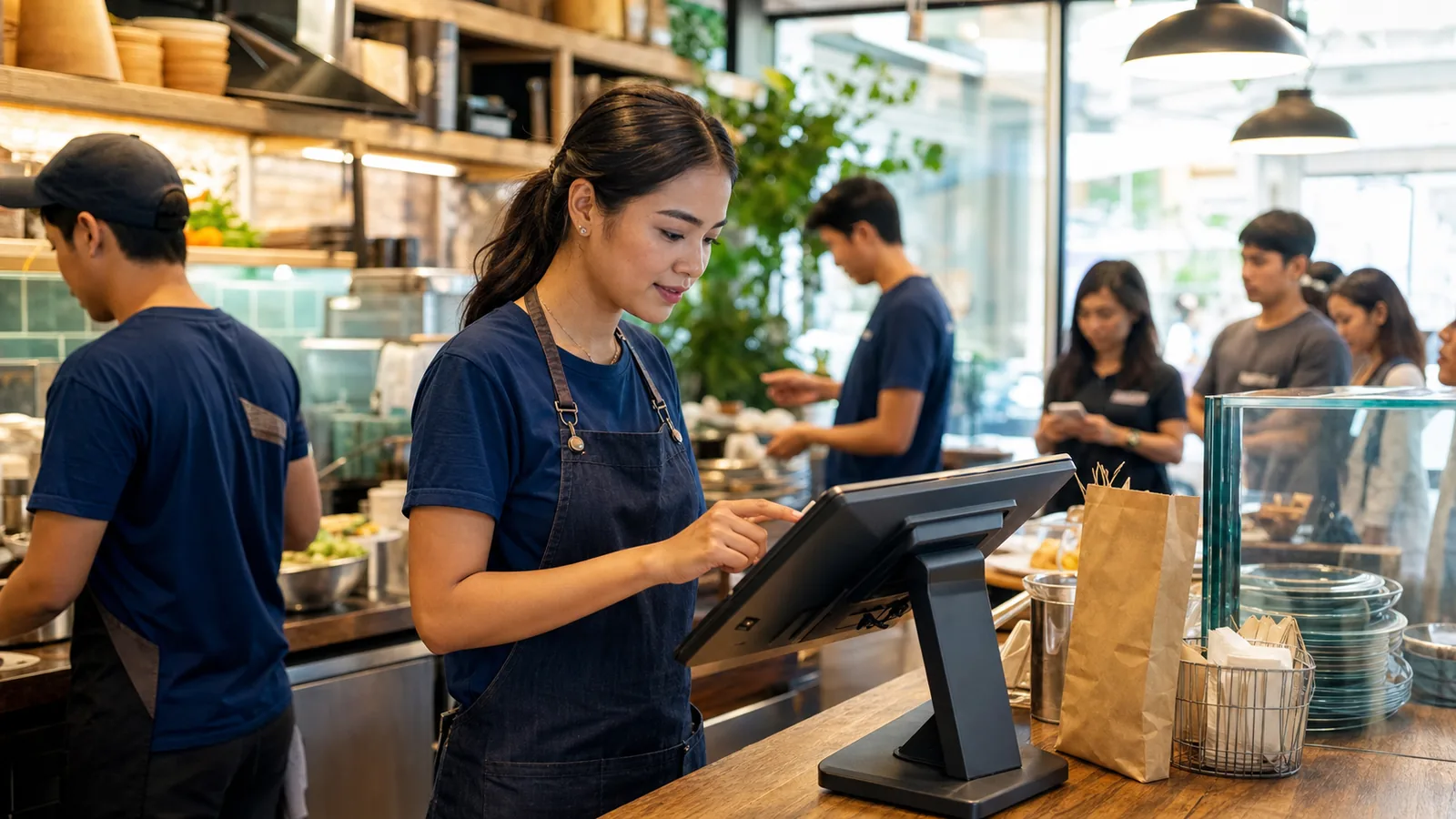
Restaurant team member entering a counter order on an Android POS during service
Restaurant server entering an order on a handheld device beside two seated diners

Ready for service

Keep the order moving when the counter gets busy.

Move from menu selection to payment and fiscal receipt in one clear journey. Authorized adjustments stay visible, while cashier and daily sales records give the next shift a stronger basis for handover.

Built for the way your industry works.

Real EazSell screens show the practical tools available to the team at the point of sale.

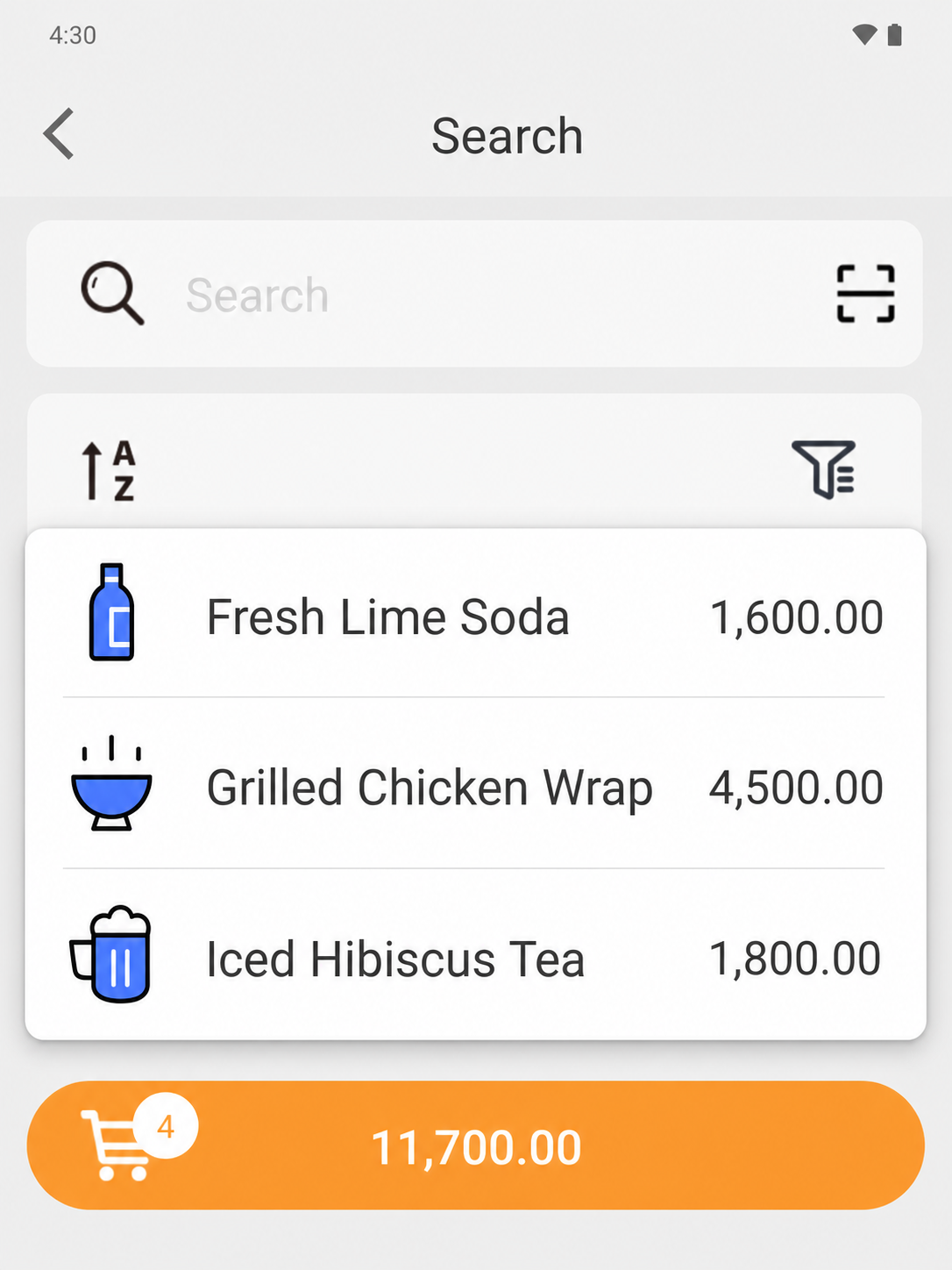
EazSell Android product search showing a fuller Fresh Kitchen menu with distinct food and drink thumbnails
01

Menu navigation

Keep a focused menu ready for peak service.

Filter the selling screen to Fresh Kitchen and browse a fuller menu of food and drinks with item-specific thumbnails. Names, visuals and prices work together so the cashier can distinguish similar choices without opening each product record.

During a lunch rush, a familiar menu view shortens the distance from the customer’s words to the correct line item. It also gives temporary or newly trained staff a clearer visual cue when several orders are being created in quick succession.
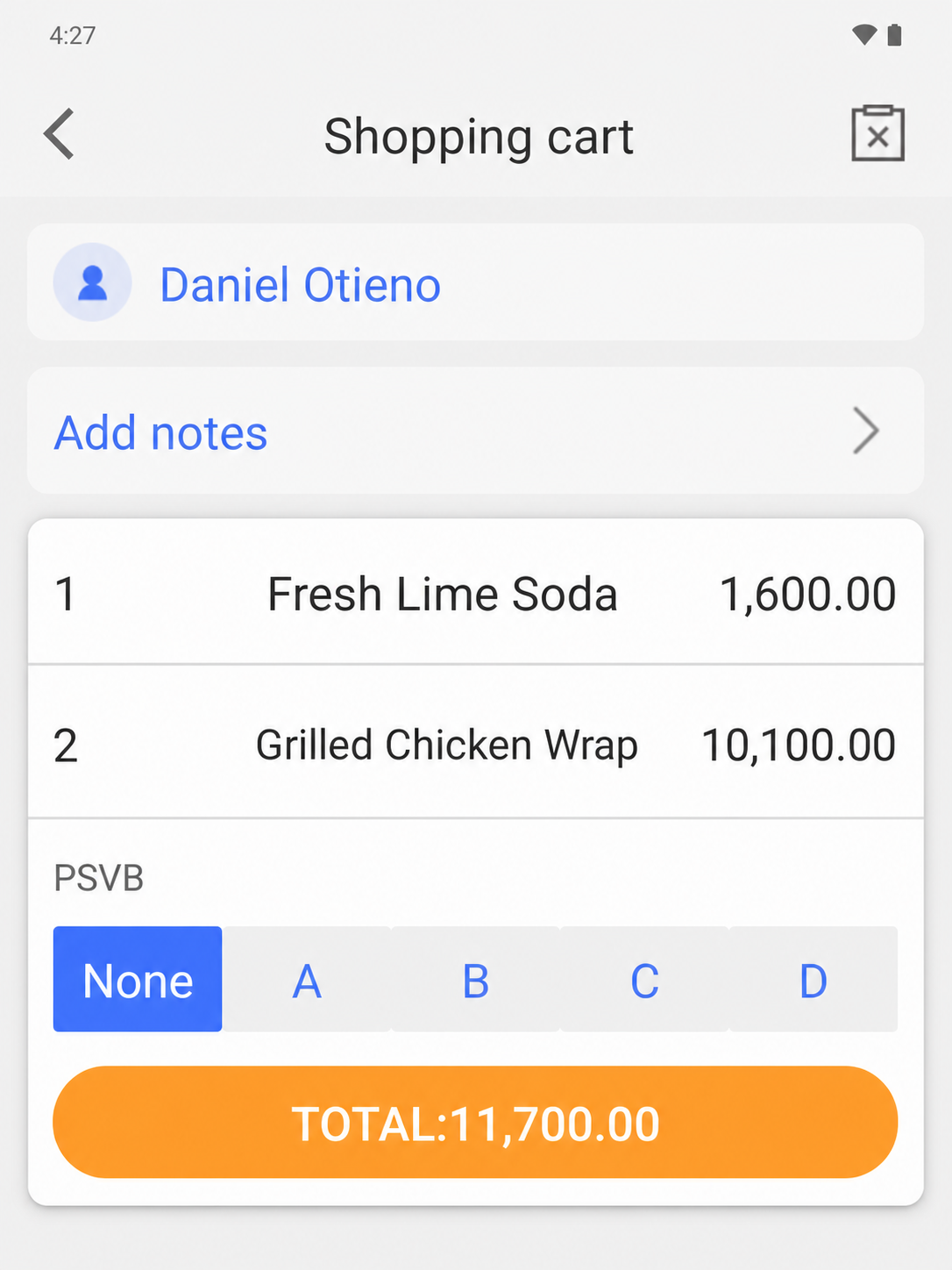
EazSell Android shopping cart without the instructional banner, showing food items, quantities and total
02

Order review

Review every item before payment.

Review the complete basket without an instructional banner covering the order. Item names, quantities, prices and the running total stay together, while customer assignment and order notes remain available before the payment step begins.

That final review creates a natural checkpoint for correcting a quantity, confirming a takeaway order or checking the total aloud with the customer. The cashier can resolve a mismatch while the ticket is still open instead of discovering it after payment.

Industry pain points

The workflow starts with the operational pressures that make a separate till, fiscal tool and spreadsheet difficult to manage.

Serve peak-hour queues

Create a clear ticket, adjust menu quantities and move from order to payment with fewer handoffs at the counter.

Control discounts and refunds

Keep higher-risk actions visible and apply the configured review or permission path before the receipt is finalized.

Make shift handover clearer

Use cashier, payment and daily sales records as a shared basis for handover and end-of-day review.

A typical workflow

One clear journey connects the customer interaction to the business record that follows.

  1. 1

    Create

    Add menu items and confirm quantities.

  2. 2

    Review

    Apply authorized changes, discounts or refunds.

  3. 3

    Collect

    Record the configured payment method.

  4. 4

    Receipt

    Validate and print the fiscal receipt.

  5. 5

    Close

    Review the shift and daily sales summary.

Recommended hardware

EazSell is hardware-neutral. The right Android device and printer category depends on the selling environment, country requirements and compatibility review.

  • All-in-one Android POS with a built-in receipt printer for counter service
  • Android tablet with a Bluetooth receipt printer for a flexible service point
  • A compatible cash drawer for deployments that require cash control at the counter

See this industry journey in EazSell.

Walk through the sales flow, fiscal status, offline recovery and hardware setup relevant to your team.

Request a Demo